
Why is it useful?
Widgets allow you to display various types of information on the screen when you’re not running any polls.
They offer a simple and dynamic way to keep participants engaged during downtime.
You can choose from seven different widgets, each serving a specific purpose.
How does it work?
Here’s the list of widgets available on Connexme TV:
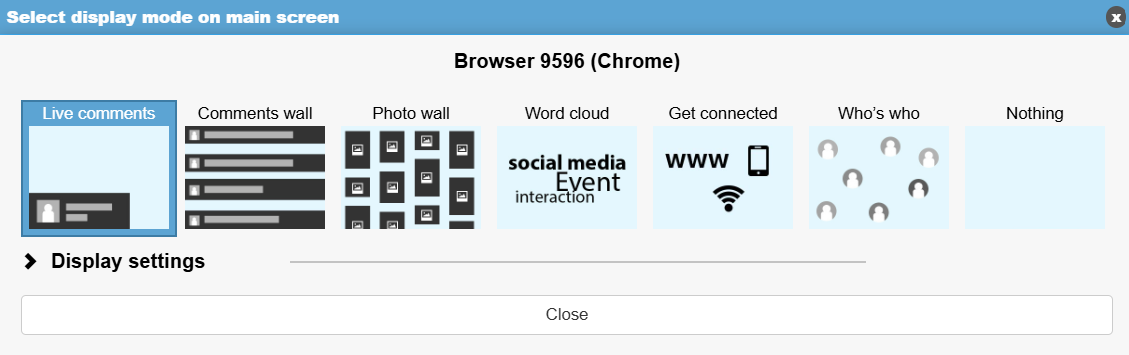
Live Comments: Displays participants’ messages in real time, overlaid on your presentation.
WARNING: This feature requires specific conditions. To set it up, please contact the support team (support@evenium.us) to check feasibility.
Comment Wall: Shows a full-screen selection of comments posted on the app.
Photo Wall: Displays in full screen the photos shared by participants through the app.
Word Cloud: Highlights the most frequently used words from participants’ comments, creating a visually engaging display.
Get Connected: Shows connection details for the app and the event’s Wi-Fi, making it easy for newcomers to join.
Who’s Who: Randomly displays participants’ photos, encouraging interaction and networking.
Nothing: Disables all widgets, leaving your screen neutral or showing only your main presentation.